

// post
Building a 3D GitHub Skyline Carousel for My Blog
From a 24MB STL to a two-tone, theme-aware WebGL carousel
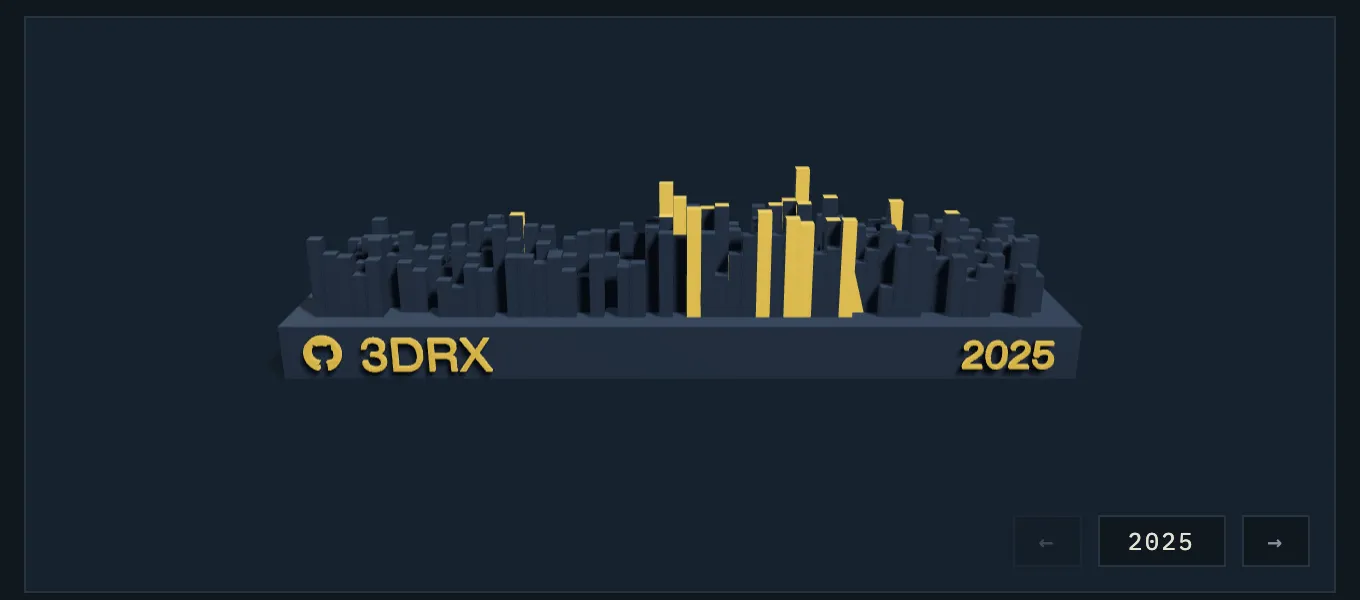
My About page used to show a single GitHub Skyline model from 2023 — a glTF I had downloaded from skyline.github.com back then. Three years later it was both out of date and rendered with a truly cursed lighting setup (a directional light at intensity 5 plus a point light at 8000 — everything blown out white). So I rebuilt the whole thing: fresh models for 2023–2025, a carousel to flip between years, proper studio lighting, and a two-tone color scheme where the embossed text and my 20 busiest days glow in the site’s accent color. This post is about how it works.
Getting the models: gh-skyline
The original skyline.github.com site is more or less abandoned, but GitHub released an official CLI extension that does the same thing locally: github/gh-skyline. Generating a model is one command:
gh extension install github/gh-skyline
gh skyline -y 2025 -o 3DRX-2025.stl
The output is a binary STL — ~480k triangles, 24MB per year. Way too heavy to ship to a browser.
Problem 1: 24MB is not a web asset
STL stores every triangle as 3 independent vertices (“triangle soup”) — no
index buffer, so shared corners are duplicated. My converter
(scripts/stl2glb.mjs)
welds identical vertices (keyed by their raw float32
bit patterns) into an indexed BufferGeometry, which alone collapses 483k
triangles into ~221k unique vertices, and exports GLB via three.js
GLTFExporter. Then gltfpack applies
quantization + meshopt compression:
STL 24MB -> indexed GLB ~13MB -> gltfpack -cc ~1.8MBOne gotcha: GLTFExporter runs in Node fine, except it wants a FileReader
for the binary packing step — a 15-line shim over Blob.arrayBuffer() fixes
that.
On the frontend, GLTFLoader + three’s MeshoptDecoder handles the
compressed files transparently.
Problem 2: coloring only the text and the busiest days
I wanted the model to be mostly a subtle relief in the page’s background
color, with the GitHub logo, username, year, and the tallest pillars picked
out in the accent color. But gh-skyline hands you one merged mesh — no
materials, no metadata, nothing to select by.
So the converter classifies triangles geometrically. After poking at the model’s bounding box and area histograms, the layout turns out to be:
- base plate: a slab spanning
z ∈ [-10, 0] - text: embossed on the front face (
y = 0), protruding 1mm outward - pillars: boxes rising from
z = 0
Which gives simple rules:
- Text: centroid beyond the front plane (
y < -ε) and inside the base slab (z < ε). The surprise here: ~400k of the 480k triangles are text. The GitHub logo and glyphs are tessellated absurdly finely compared to the boxes. - Pillars: upward-facing triangles above the base top (
n.z > 0.9,z > ε) clustered by centroid distance — each pillar’s two top triangles land in one cluster — then side faces join the nearest cluster. The 20 tallest clusters are the “top 20 days”. - Everything else is the base.
The two groups are exported as two meshes. But how does the frontend know
which is which after compression? Mesh names might not survive gltfpack, so
I tag them with a sentinel material color: the accent mesh gets pure red
(0xff0000), the base gets white. Material colors do survive compression, so
at load time it’s just:
gltfScene.traverse((o) => {
  if (o.isMesh) {
    const isAccent =
      o.material.color.r > 0.9 &&
      o.material.color.g < 0.1 &&
      o.material.color.b < 0.1;
    o.material = isAccent ? accentMaterial : baseMaterial;
  }
});
Problem 3: making it look good (and theme-aware)
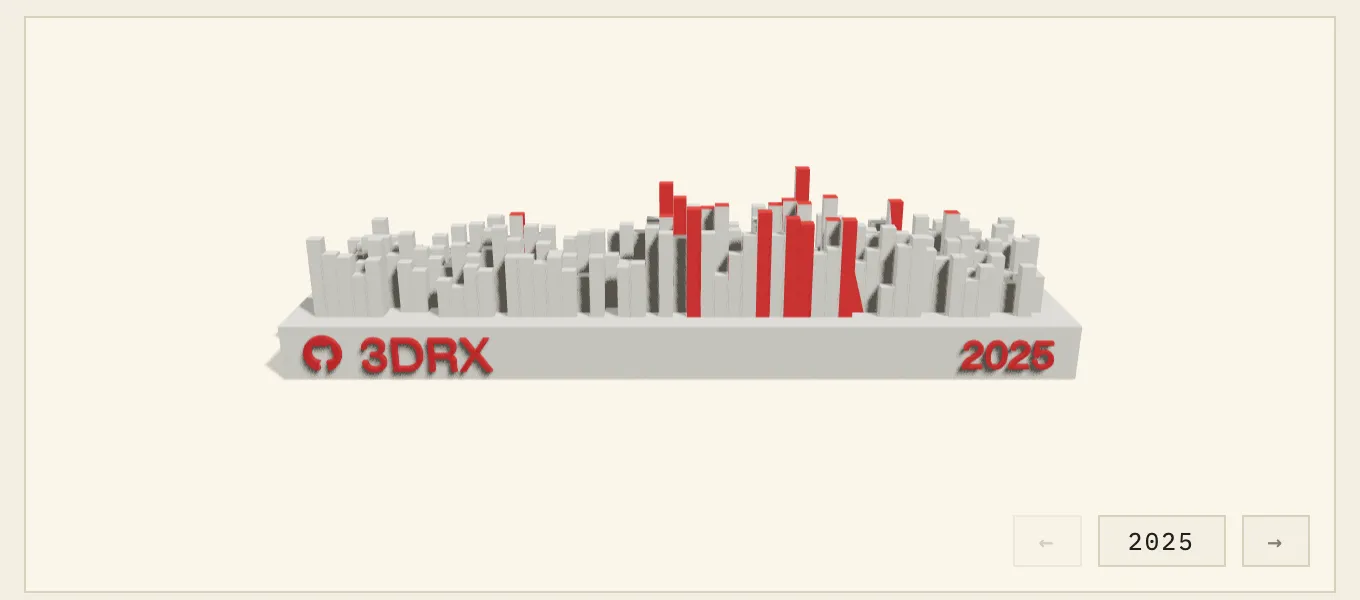
The site’s light and dark themes use different accent colors (vermillion 朱砂 on rice paper, imperial gold 雌黄 on indigo 黛蓝), and the model should follow. Instead of hardcoding hex values in the scene, the materials read the actual CSS custom properties, and re-read them on every theme toggle:
const cssVar = (name: string) =>
  getComputedStyle(document.documentElement).getPropertyValue(name).trim();

baseMaterial.color.set(cssVar("--model-base"));   // relief, close to the card bg
accentMaterial.color.set(cssVar("--accent"));     // vermillion / gold
accentMaterial.emissive.set(cssVar("--accent"));  // slight glow at night
Lighting is a studio rig instead of the old blowout special: a shadow-casting
key light (2048px PCF soft shadows, so pillars cast onto each other and the
base plate), a hemisphere fill, a rim light for edge separation, ACES filmic
tone mapping, and an invisible ShadowMaterial plane under the model so it
sits on a soft contact shadow instead of floating.
The carousel
Three years of models live in one scene, all preloaded. The controls are a bounded strip — it opens on the latest year and doesn’t wrap around; the arrow that would run off the end simply disables. Switching years plays a slide transition driven from the render loop (ease-in-out cubic, ~550ms), with the buttons locked while a transition is in flight. The controls float in the bottom-right corner of the canvas card so they don’t take up layout space.
One small UX decision: the model does not auto-rotate. It rests with the
@3DRX + year face toward the camera, with only a subtle mouse parallax on
top — perpetual spinning is fun for exactly one second, then it’s just the
back of some buildings.
Making it repeatable
All of this is packed into one command so future-me can add 2026 without re-deriving any of it:
npm run skyline -- 2026That runs gh skyline → STL→GLB split → gltfpack → drops the file in
public/, and inserts the year into the YEARS list in the component
(sorted, deduplicated). The full write-up lives in
docs/skyline.md
of the repo.